The edge,
perfected.
Professional background removal for Mac. On-device, batch-first, pixel-perfect. Drop in a shoot, tune the edge, export a thousand transparent cutouts — without sending a single pixel to the cloud.
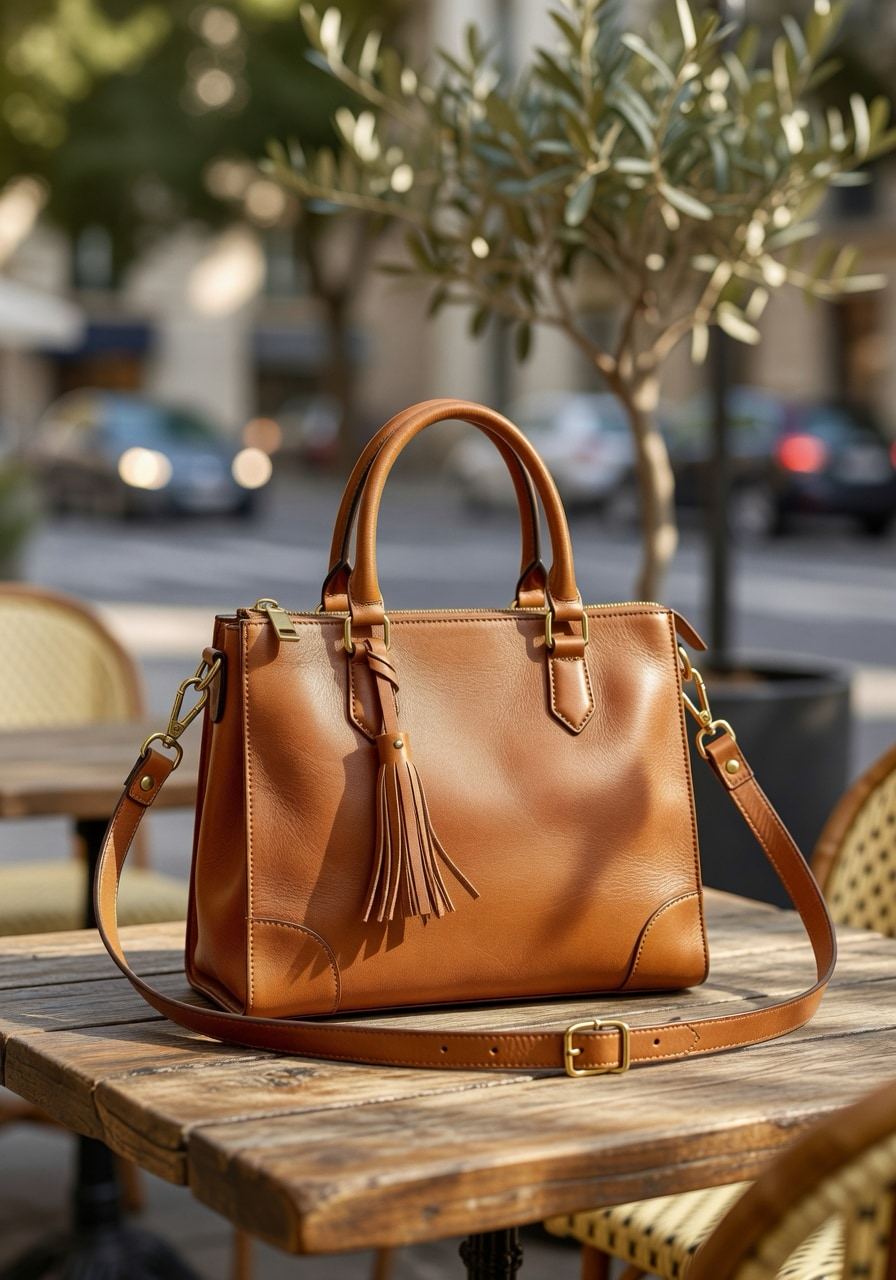
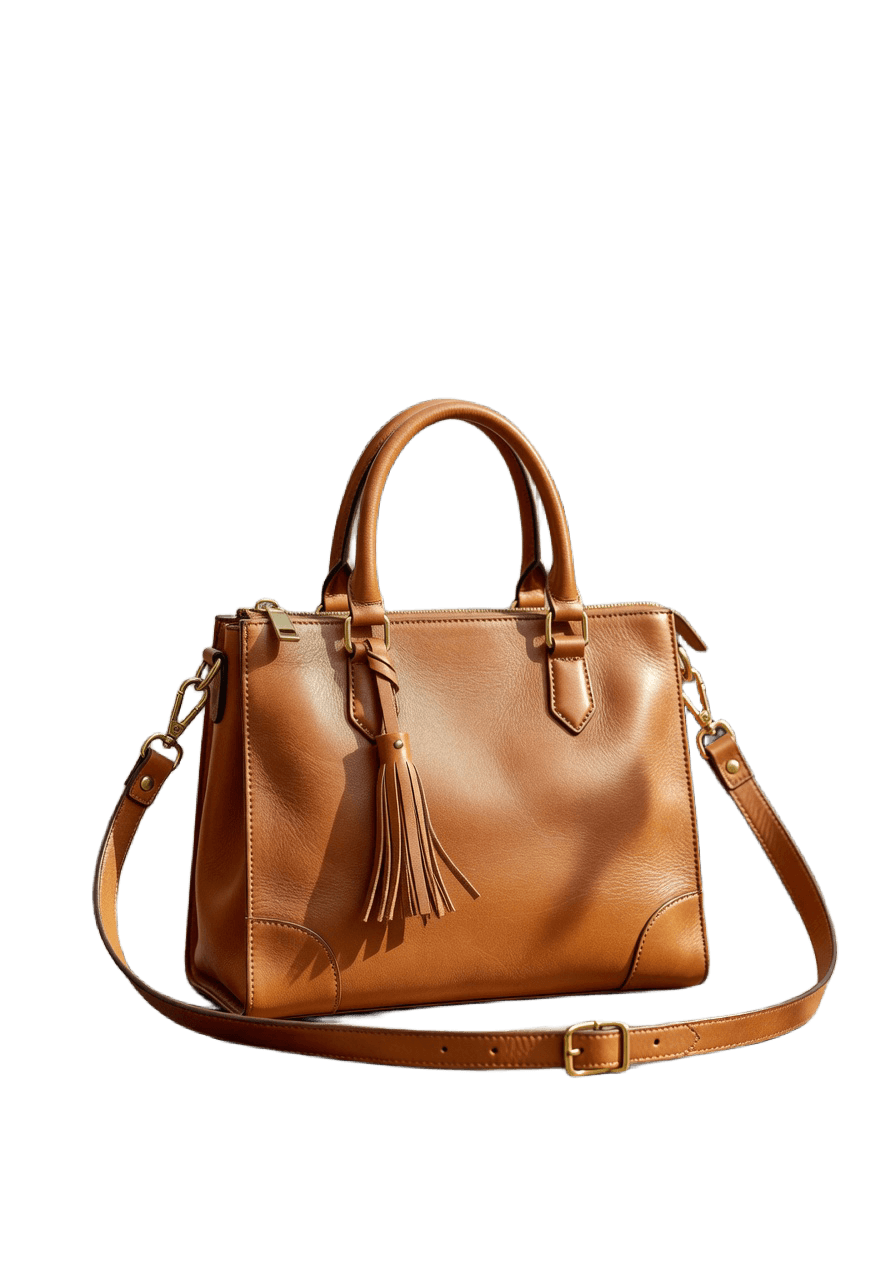
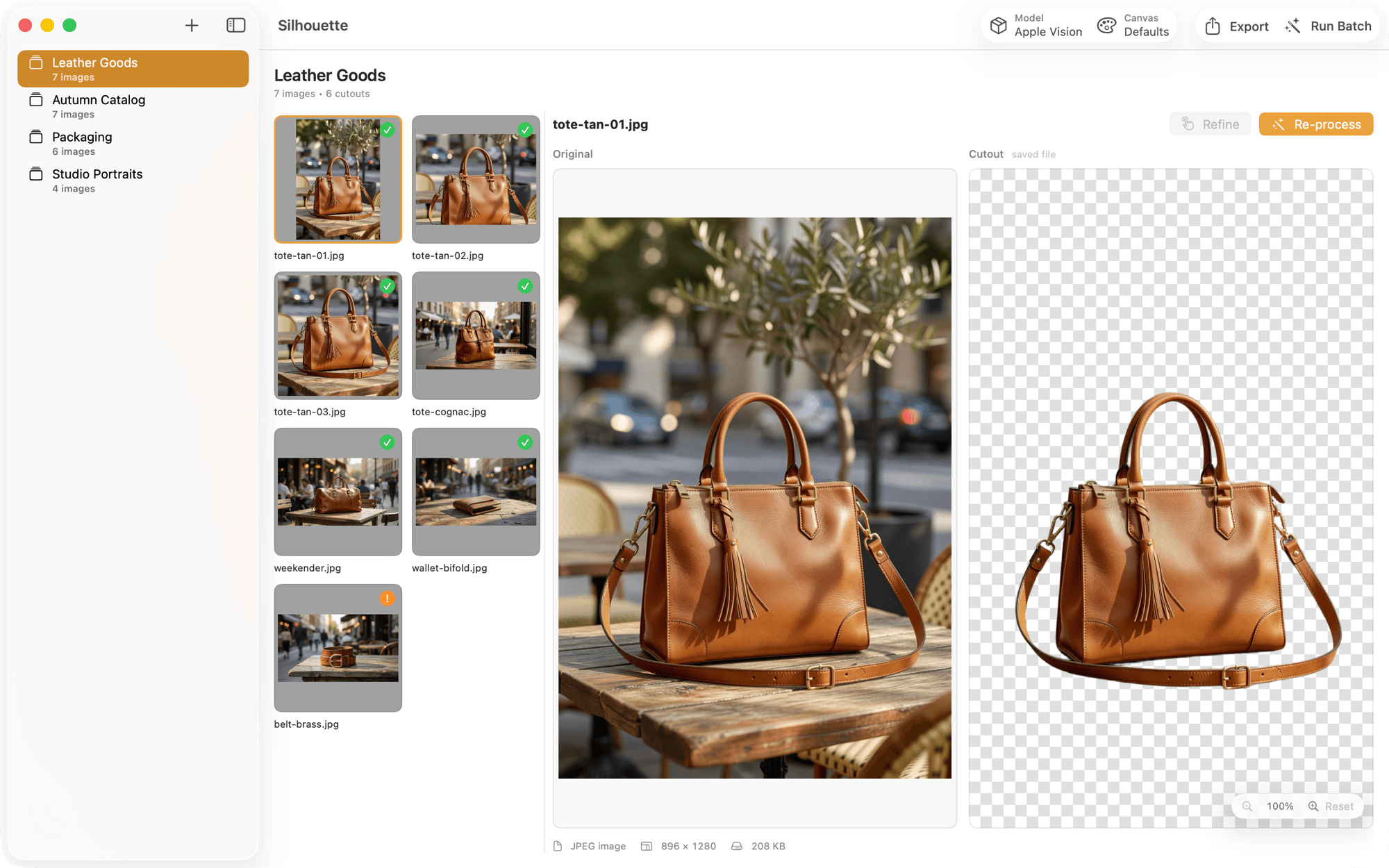
A real workstation — not a demo.
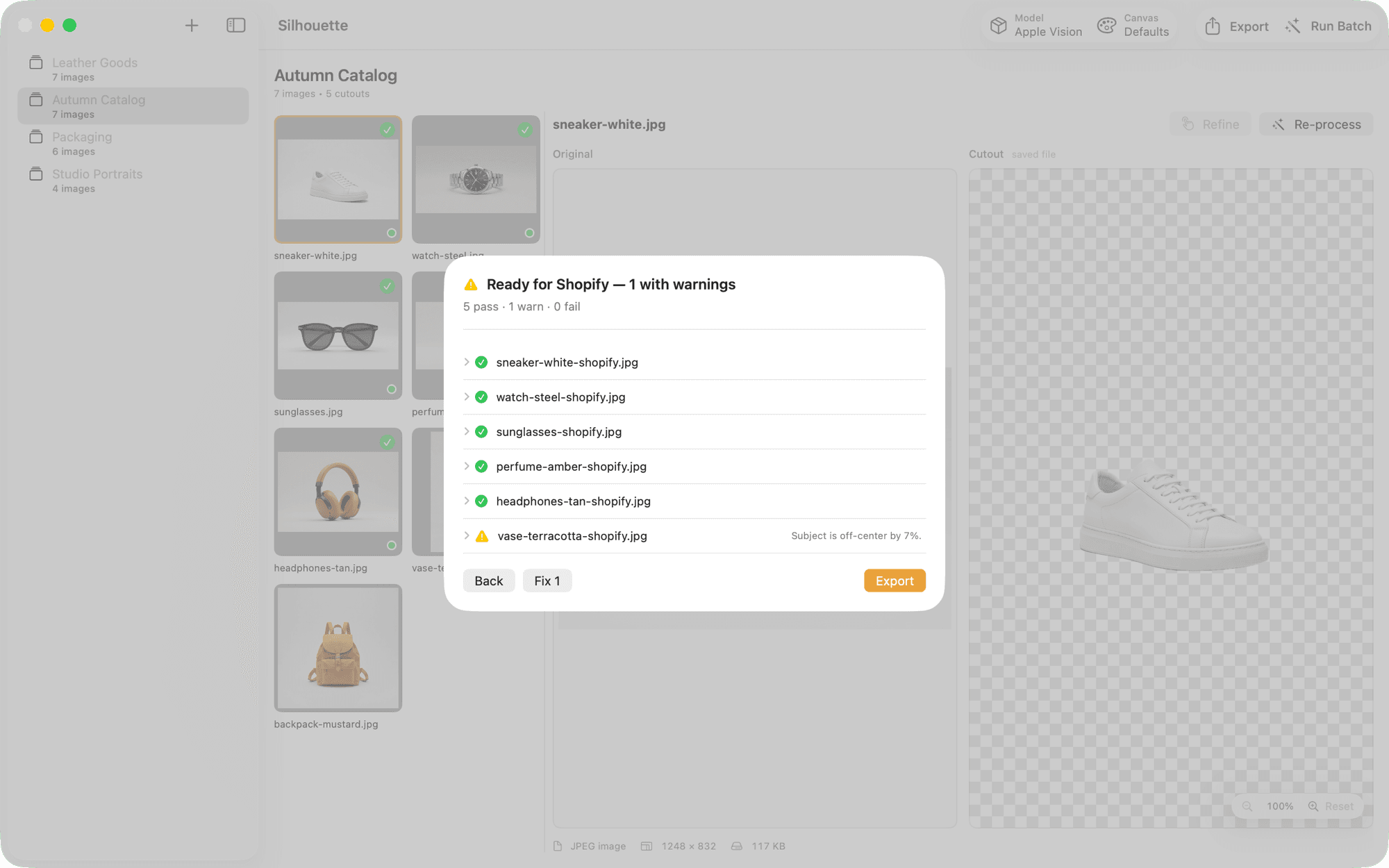
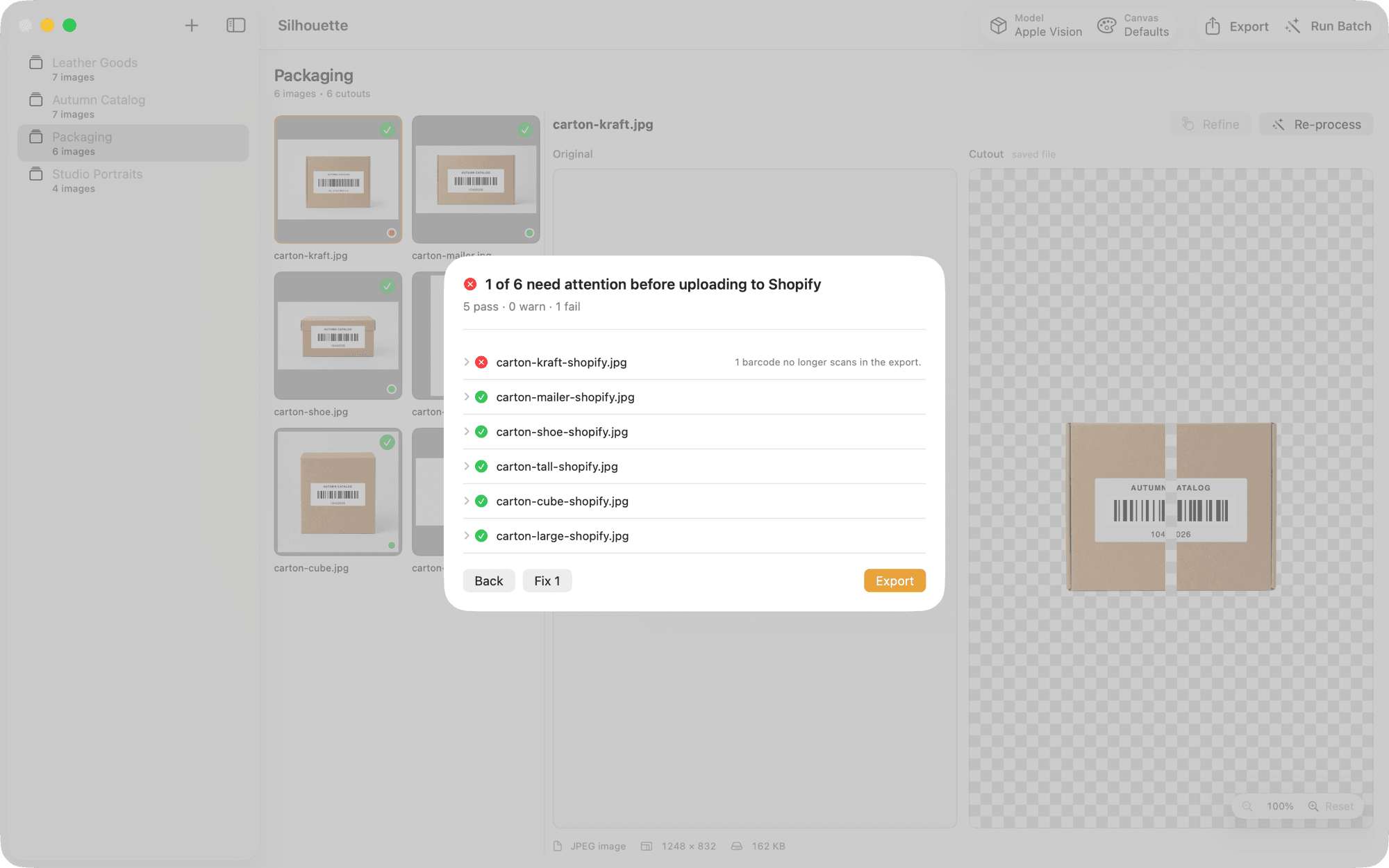
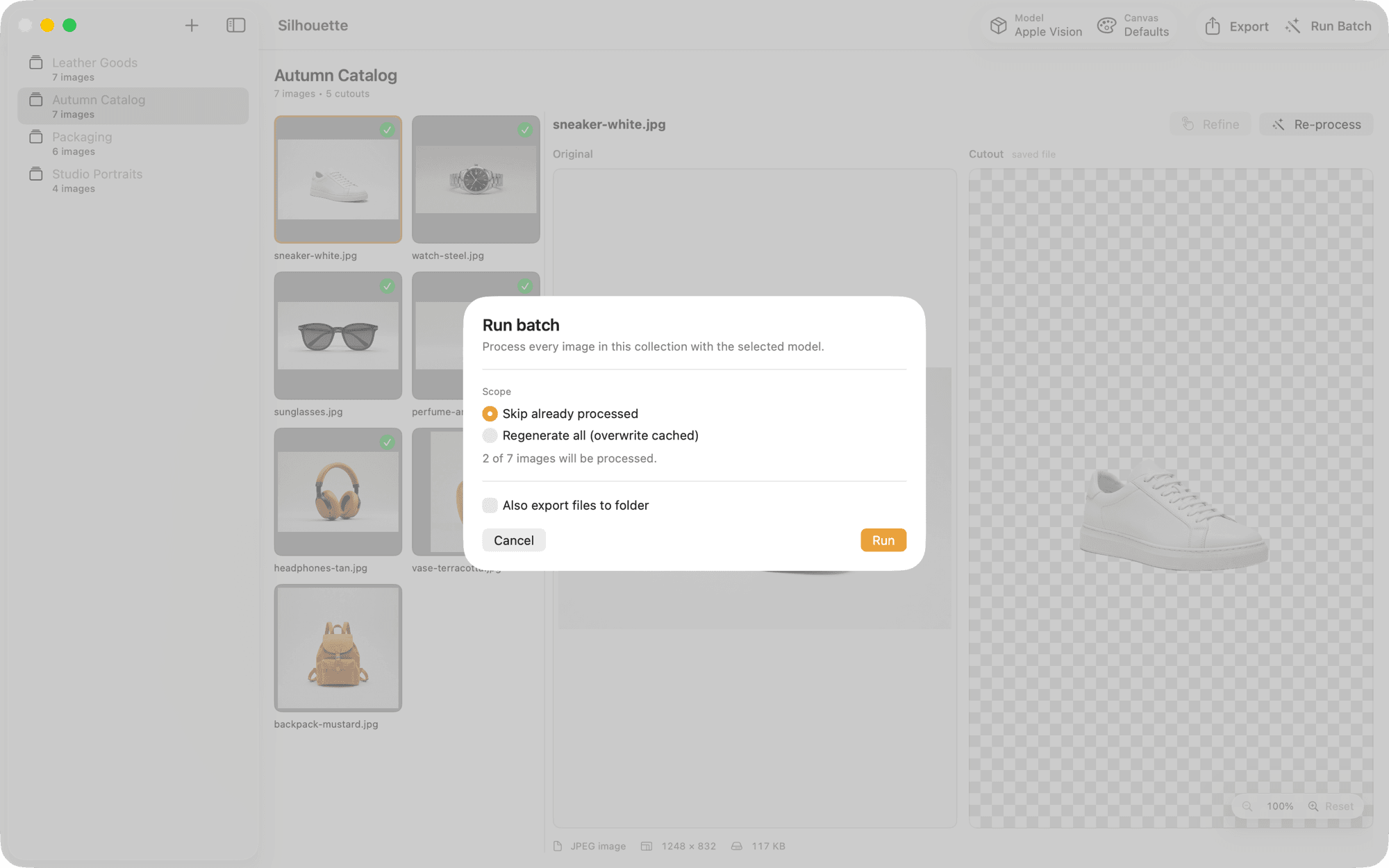
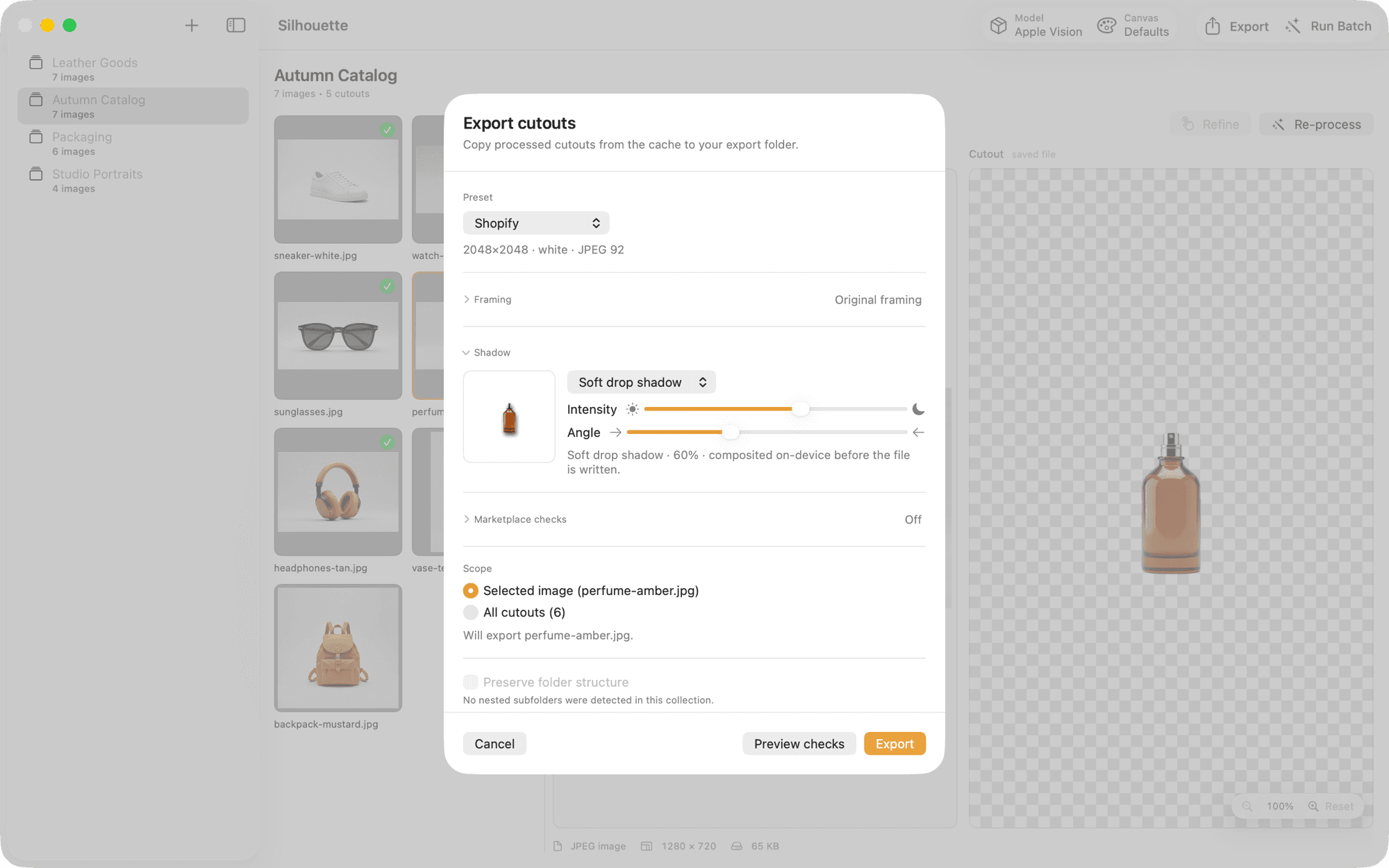
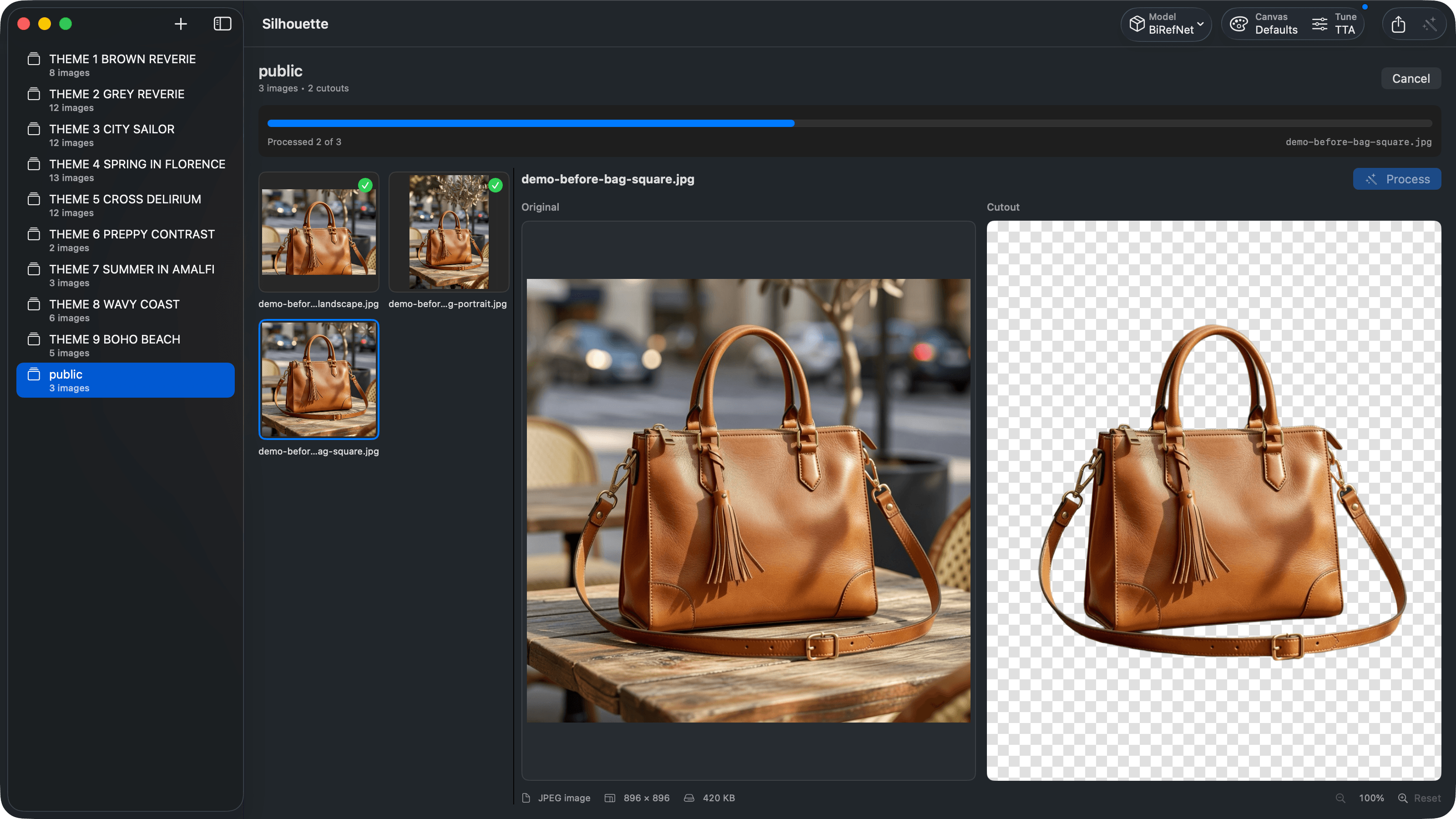
Drop in a folder, pick a model, batch export — then check the work. Below: the editor, the model picker, marketplace readiness, product fidelity checks, batch processing, grounding shadows, and the one-time Pro unlock.
Finally a cutout tool that understands hair, respects my shutter, and never once asked me to create an account.
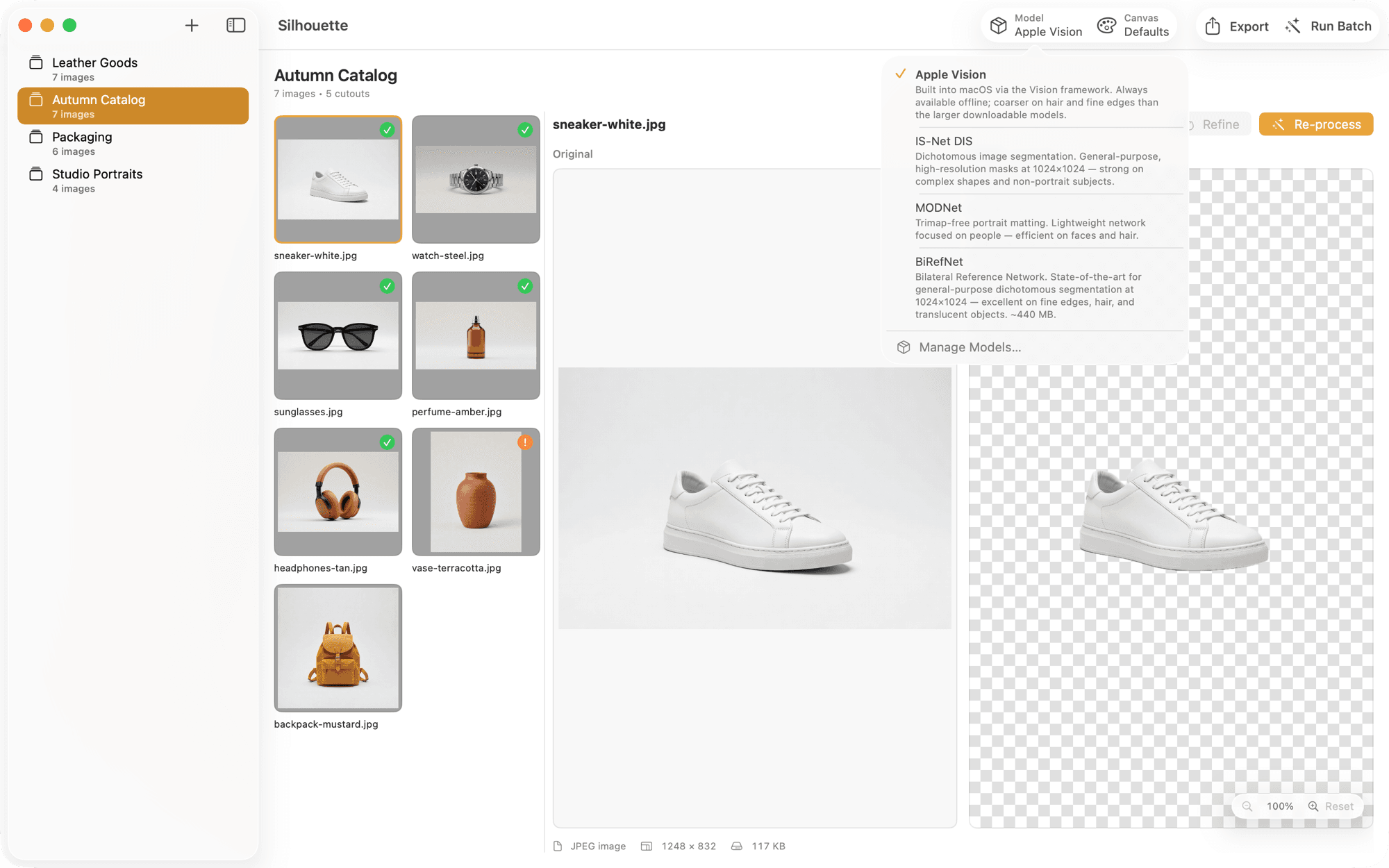
Pick the right model
for the job.
Most tools ship one model and hope for the best. Silhouette gives you four — from instant Apple Vision to state-of-the-art BiRefNet — so you can match the engine to the subject, not the other way around.
A shoot's worth
in one run.
Organize into Collections. Configure once. Run the whole set. Silhouette tracks what's done, what's pending, and what's stale, so you can iterate on edges without reprocessing everything.
- ✓ Collections. Persistent, drag-in groups with per-collection settings.
- ✓ Smart caching. Re-renders only what changed when you tweak a dial.
- ✓ Cancel anytime. Stop a run and re-launch — finished cutouts are cached, only the rest reprocess.
- ✓ Per-image overrides. Bend the rules for one frame without breaking the collection.
Dials, not a
magic button.
Most tools give you a button. Silhouette gives you the dials that actually matter — the ones you learned to reach for in Photoshop, now arranged exactly where a mattes-for-a-living person expects them.
Flip TTA — test-time augmentation for hair and fur.
Re-runs the model on mirrored input and blends the results. Costs a few milliseconds per frame, buys you cleaner edges where every pixel counts.
Edge refinement.
Snap the mask back to the image's real edge. Off, light, or strong.
Matte gamma.
Soft or crisp tonal falloff across the alpha channel.
Threshold.
Tune the mask's soft cutoff — conservative to aggressive.
Instance picker.
Manually include or exclude subjects in multi-object scenes.
A proper preview — loupe, option-scroll zoom, hover magnifier.
Inspect the edge before you commit to a batch. Zoom anchored at cursor. Loupe follows your mouse. Scroll with option to scale.
No uploads.
No accounts.
No cloud.
Every model runs locally on the Neural Engine and GPU. Your client's unreleased product photos never leave the machine. No quota, no telemetry, no subscription-gated features. Your Mac is the cloud.
Pay once.
Own the tool.
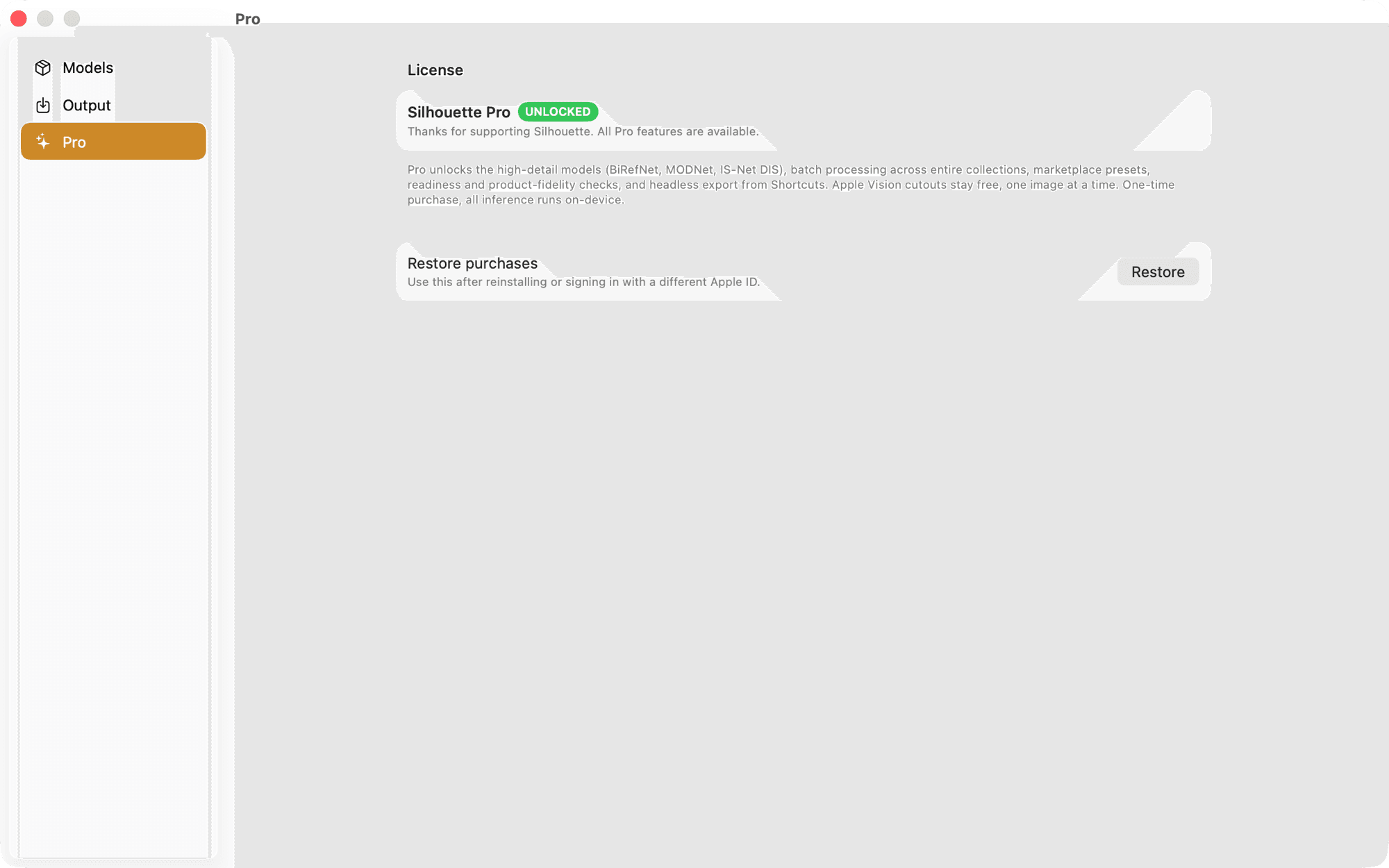
No subscription, no seat counts, no quota. A real piece of software that lives on your Mac, runs on your silicon, and doesn't expire. Pro is Family Shareable, so one purchase covers your household.
Instant, on-device background removal. No sign-up, no watermark, no time limit.
- + Apple Vision matting, unlimited
- + All four models, free to preview
- + Every edge dial + instance picker
- + PNG · JPEG · HEIC output
- + Custom background colors
- + Free updates, forever
Unlock the high-detail models and the whole shoot, proven fit to upload before it leaves your Mac.
- + Everything in Free
- + Export from IS-Net, MODNet & BiRefNet
- + Unlimited batch processing
- + Bulk regenerate of stale results
- + Marketplace presets — Shopify, Amazon, Etsy & more
- + Marketplace readiness reports (CSV + JSON)
- + Product fidelity checks — logos, label text, barcodes
- + Grounding shadows — contact, soft drop & floor fade
- + Headless export via Shortcuts & Siri
- + Family Sharing — one purchase, up to six people
- + Priority email support
Questions,
answered.
The ones we get most. If yours isn't here, write to us .
Q · 01 Do I need an internet connection?
Do I need an internet connection?
Only to install and receive updates. All matting runs locally on your Mac — the models ship with the app or download once on first use.
Q · 02 Which Macs does it support?
Which Macs does it support?
macOS 26 and later, on Apple Silicon (M1 and later). Silhouette runs its matting models on the Neural Engine and GPU via MLX and Core ML, so it is Apple Silicon only — there is no Intel build.
Q · 03 Can I use it for client work?
Can I use it for client work?
Yes. Silhouette is licensed per-user, not per-project. Any cutouts you produce are yours, and the app itself never sees the files beyond the machine it runs on.
Q · 04 How does batch caching work?
How does batch caching work?
Each image has a fingerprint (hash + settings). Change a setting and only affected images reprocess. Change the source file and it marks itself stale. You can always force-rerun a subset.
Q · 05 What's the difference between Free and Pro?
What's the difference between Free and Pro?
Free lets you run every matting model (Apple Vision, IS-Net, MODNet, BiRefNet) on your own photos with the full dial set: Flip TTA, edge refinement, gamma, threshold, and the instance picker. Exporting an Apple Vision cutout is free and unlimited for single images; exporting the three high-detail models needs Pro, so you can judge the edge before you buy. Pro also unlocks batch: process and export entire collections in one run, with marketplace presets for Shopify, Amazon, Etsy and more. Pro also checks the work — readiness reports on dimensions, background and margins, product fidelity checks that catch a sliced logo, label text that stopped reading or a barcode that no longer scans, grounding shadows that sit a product on the page instead of floating, and headless export from Shortcuts and Siri.
Q · 06 Does one Pro purchase cover more than one person?
Does one Pro purchase cover more than one person?
Yes. Silhouette Pro is Family Shareable, so a single purchase unlocks it for everyone in your Family Sharing group — up to six people, at no extra cost. It also unlocks on every Mac you sign into yourself, which needs no sharing setup at all.
Q · 07 What about Windows or Linux?
What about Windows or Linux?
Silhouette is a native macOS app, and we're keeping it that way — it's built on MLX, Core ML, Vision, and SwiftUI, and leans hard on the Neural Engine. A cross-platform port would be a worse product.
Contour — Segment Anything, on your Mac.
Need masks for a dataset rather than cutouts for a store? Contour turns text prompts and boxes into COCO, YOLO, and per-frame video masks — all on-device.
Clean cutouts.
On your Mac.
In bulk.
Free forever for single-image cutouts with Apple Vision, and every model is free to run on your own photos. Unlock the high-detail models and unlimited batch with a one-time Pro upgrade.